Company admin
Creates company, invites seats, owns access.
The pulse of the job
One photo speaks a thousand works. In today’s digital world, photos and drawings are still the languages of the construction sites.
Your site photos. Our passion.
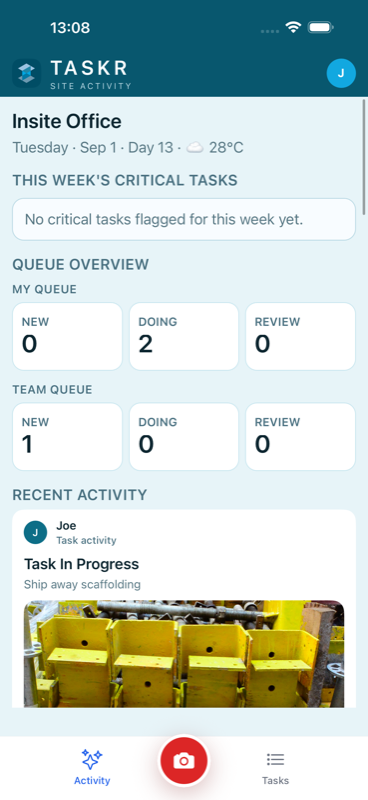
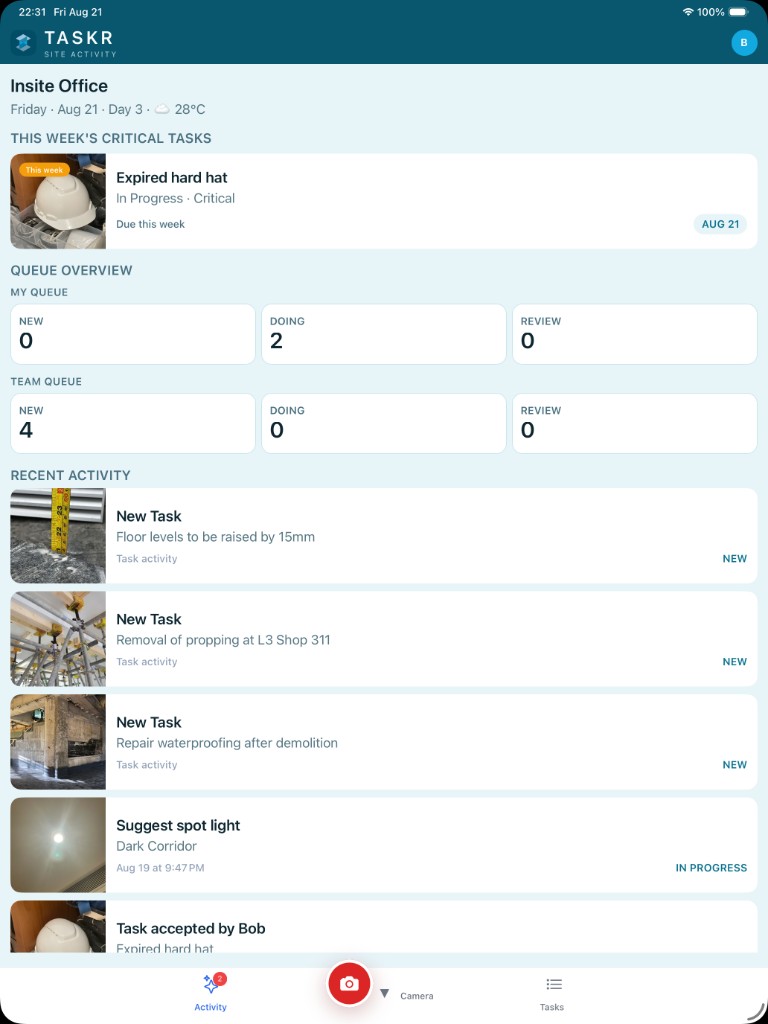
One project spine — company admin · PM/supervisor · crew/trade. Photo-centric capture, review, and approve.
Creates company, invites seats, owns access.
Assigns work, reviews proof, keeps handoffs moving.
Captures photos, updates progress, closes assigned work.
Five stations on one project bay — photo-centric from capture to approve. Traceable accountability for admin, PM, and crew.
Admin opens Taskr and creates the company account.
Secure sign-in link. They set their own password.
Everyone works inside the right jobsite — not mixed projects.
Photos become assigned, reviewable tasks for the right trade.
Approve or send back with a clear reason and photo trail.
On site, photos do the talking. Taskr keeps each one on the work — not lost in chat.
Show the condition, name the trade, and send the next step from the field — clear enough to act on.

Who did what, when, and with which photo stays on the task thread — company-owned, in the right project.

Progress updates and send-backs carry the picture — so handoffs don’t need another WhatsApp dump.

Approve or send back against what actually happened on site — visual trail for the closeout conversation.

Assigned → Work Completed → Verified → Approved → Close → Improve Cash Cycle

Company-first access. No public join-any-company path. Admins invite seats; projects stay scoped.
Billed to the company in HKD. Card on file at signup — 14 days free, then the plan you chose. Cancel in trial and you are not charged. Already subscribed? Manage or cancel your plan.
STARTER
HK$160
per company / month
PRO
HK$400
per company / month
Add-ons
Extra seats
Per person, not packs. No project add-on. No unlimited seats or projects on this release.
Start with a 14-day company trial on the web, install Taskr on iOS, then run photo → assign → review on the job.
iOS first. Company admin creates the account, invites seats, and opens the project.